Desktop application · 2026
Sequential MessengerWhatsApp desktop app
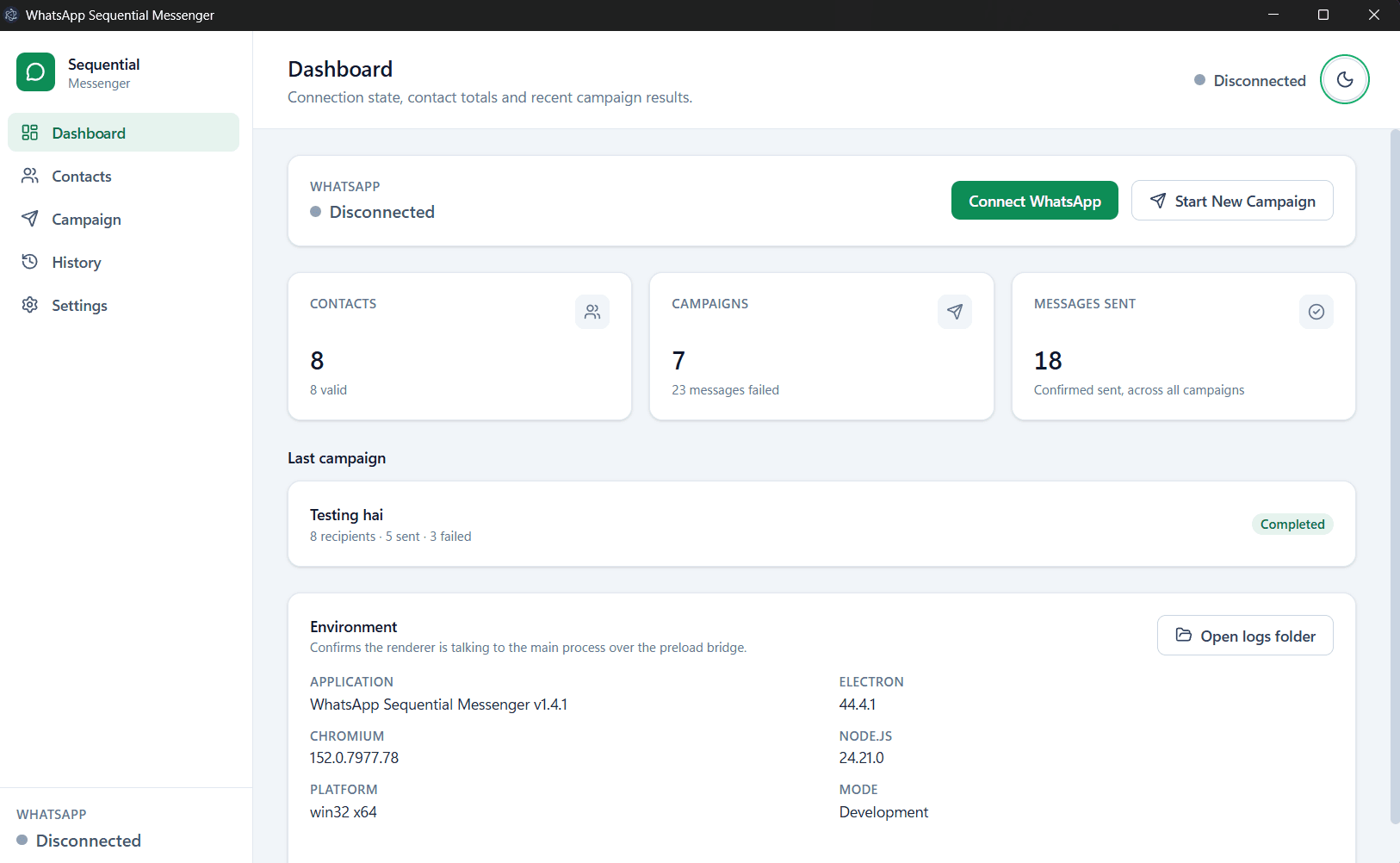
A personal practice project I built to learn desktop app development and browser automation. WhatsApp Sequential Messenger sends a single message to many people without sending it to all of them at once. You keep a list of contacts, write one message (it can greet each person by name), pick who gets it and how long to wait between them, and press Start. The app works through the list in order through a WhatsApp Web window you have logged into yourself, showing live progress, and you can pause, resume or stop at any point. Everything stays on your own computer: there is no account, no server and no cloud service.
The problem
Sending the same update to a list of people on WhatsApp by hand means opening every chat, pasting the message and keeping track of who you have reached. Tools that send to everyone at once behave like spam, which is how accounts get restricted. This app sits in between: one message, sent to one person at a time, with a gap the user chooses, and nothing sent until they press Start. It is deliberately not a scheduler, and nothing repeats.
How it is built
It is an Electron app split three ways. The main process owns the SQLite database, the Playwright browser automation and the campaign engine. The React interface has no access to Node, the database or the browser, and talks to the main process only through a typed whitelist exposed by the preload script. Every call is validated with Zod and returns a result envelope instead of throwing, so a failure in the main process can never crash the interface. You link WhatsApp Web once by scanning a QR code in a browser window the app controls; it never sees your password.
Built to be interrupted
The engine walks the list in a fixed loop: claim a recipient, send, record the result, wait. Every status change goes through a single state machine, and the engine was first built against a mock WhatsApp client so the whole loop could be tested without sending anything. Pause lets a message already being sent finish and be recorded. If WhatsApp disconnects, the campaign pauses and that recipient goes back in the queue. If the app closes mid-run, the campaign is marked interrupted and waits for you. A recipient whose outcome could not be confirmed is kept apart and never retried automatically, because a retry could message them twice.
Honest about its limits
The app checks that a number is well formed, but it cannot know whether the number is on WhatsApp until it tries, and it can confirm only that WhatsApp Web accepted a message, not that it arrived. Automating WhatsApp Web is not an officially supported use of WhatsApp, so the app makes no attempt to hide what it is doing: there is no anti-ban, fingerprint-spoofing or proxy-rotation code, and the README asks people to message only those who have agreed to hear from them. ReachBuzz, my other WhatsApp project, takes the opposite route through Meta's official Cloud API.